How to Avoid WhatsApp Account Bans & Maintain a 100% Quality Score in 2026
A comprehensive 2026 technical guide on Meta WhatsApp Business API quality scores, messaging tier limits, anti-spam policies, opt-in governance, and emergency Red rating recovery procedures.
- How Meta Evaluates Phone Number Quality
- Primary Root Causes of Account Bans
- 2026 Messaging Limits & Tier Scaling
- 5 Non-Negotiable Compliance Rules
- Template Category & Quality Governance
- Emergency Red Quality & Ban Recovery Plan
- Automated Protection with Samyoj Engine
- Frequently Asked Questions (FAQ)
WhatsApp has evolved into the central revenue driver for modern growth teams, e-commerce brands, and enterprise service providers. Delivering 98% open rates and conversion rates exceeding 45%, the official WhatsApp Business API provides unparalleled audience reach. However, this high performance is accompanied by strict Meta policy enforcement.
Unlike traditional email marketing where a soft bounce or spam report simply lands a message in the junk folder, receiving excessive user blocks or negative feedback on WhatsApp directly impacts your Phone Number Quality Rating. If left unmanaged, poor quality ratings lead to daily messaging tier downgrades, feature restrictions, or permanent WhatsApp Business Portfolio suspensions.
This master guide breaks down the exact mechanics Meta uses in 2026 to evaluate account health, the core technical triggers behind number bans, five actionable compliance rules, and an emergency recovery protocol if your quality rating drops to Red.
1. How Meta Evaluates Phone Number Quality Rating
Meta monitors every active phone number connected to the WhatsApp Business API using automated feedback loops. Rather than evaluating individual message text manually, Meta relies on real-time consumer telemetry recorded over a rolling 7-day evaluation window.
Green Rating (High Quality)
Your business number operates with low user report rates and strong positive engagement. Your account is eligible for automatic tier limit increases and full throughput.
Yellow Rating (Medium Quality)
A warning status triggered by an uptick in user blocks or negative report feedback. While messaging limits are not immediately reduced, scaling to higher tiers is paused until quality improves.
Red Rating (Low Quality)
Critical status indicating severe user friction or elevated report velocity. If a number stays in Red status for 7 consecutive days, Meta automatically downgrades daily messaging limits by one full tier.
When a user receives a message from an unverified or business number on WhatsApp, the app presents prominent action buttons: "Block", "Report & Block", or "Continue". When a recipient chooses "Report & Block", Meta prompts them to select a specific reason:
- No Longer Needed / Did Not Request: Indicates list fatigue or missing opt-in consent.
- Spam / Advertising: Indicates irrelevant, aggressive, or unexpected promotional content.
- Scam / Fraud: Represents severe compliance risk, immediately heavily weighting against the phone number's quality score.
- Offensive Content: Triggers immediate template suspension and manual Meta review.
Telemetry Snapshot: The 0.5% Threshold Rule
Based on enterprise data across millions of API broadcasts, maintaining a block-to-delivery ratio under 0.5% (fewer than 5 blocks per 1,000 delivered messages) keeps your number solidly in Green status. Pushing past 1.0% report rates reliably triggers a Yellow rating within 6 hours.
2. Primary Root Causes of WhatsApp Account Bans
Account bans and phone number suspensions rarely occur without warning. In almost every case, suspensions result from identifiable operational errors. Understanding these failure modes allows engineering and marketing teams to implement preventative guardrails.
| Root Cause | Risk Level | Meta Detection Method | Primary Impact |
|---|---|---|---|
| Cold Database Blasting | Critical | Spike in "Report & Block" by unknown contacts | Immediate Red rating & Portfolio Flagging |
| Missing One-Tap Unsubscribe | High | Users force-blocking instead of opting out | Gradual Quality Score decay |
| Category Misclassification | High | AI NLP scan of Utility vs Marketing templates | Template rejection & utility rate correction |
| Sudden Volume Spikes | High | Velocity heuristics on freshly registered numbers | Automatic rate-limiting & audit review |
| Commerce Policy Violations | Critical | Automated image & text scanners for prohibited goods | Instant permanent WABA ban |
A. Cold List Broadcasting without Opt-In Evidence
Purchasing lead lists or scraping phone numbers from directory sites is the fastest path to a permanent account ban. When users receive unsolicited messages from an unknown business, their default reaction is to tap "Report & Block". Even if your offer is legitimate, broadcasting to cold contacts triggers immediate negative feedback density.
B. High Frequency & Message Overlap
Sending multiple promotional templates to the same contact within a 24-48 hour window creates severe brand fatigue. Meta enforces per-user frequency recommendations, limiting marketing conversations to avoid overwhelming users. Sending 3-4 promotional blasts per week to unsegmented lists drives block rates upward rapidly.
C. Bypassing Template Category Policies
Attempting to bypass higher Meta marketing fees by submitting promotional content under the "Utility" category is heavily penalized. Meta uses machine learning models to analyze template body text and variable parameters. Submitting discount codes, promotional offers, or sales announcements marked as "Order Updates" results in automated template rejection and account warnings.
3. 2026 Messaging Limits & Tier Scaling Rules
In 2026, Meta manages messaging limits at the Meta Business Portfolio level. This means all phone numbers under a single business portfolio share the highest tier established by performance, ensuring unified governance across multi-brand setups.
Messaging tiers dictate how many unique business-initiated recipients your account can contact within a rolling 24-hour window:
| Messaging Tier | 24-Hour Recipient Limit | Portfolio Requirement | Evaluation Cycle |
|---|---|---|---|
| Tier 0 | 250 unique users | Unverified Meta Business Portfolio | Initial onboarding |
| Tier 1 | 1,000 unique users | Completed Business Verification | Automatic upon approval |
| Tier 2 | 10,000 unique users | High/Medium Quality + 50% limit usage | Evaluated every 6 hours |
| Tier 3 | 100,000 unique users | High/Medium Quality + 50% limit usage | Evaluated every 6 hours |
| Tier 4 (Unlimited) | Unlimited recipients | High Quality + Sustained high volume | Enterprise scale (up to 1k msgs/sec) |
The 50% Volume Rule for Tier Scaling
To automatically upgrade from Tier 1 (1,000) to Tier 2 (10,000), you must send business-initiated messages to at least 500 unique recipients within a 7-day period while maintaining a Green or Yellow Phone Number Quality Rating. If your quality rating drops to Red, tier progression halts immediately.
4. The 5 Non-Negotiable Compliance Rules
Maintaining a pristine 100% Quality Score requires systemic guardrails built directly into your conversational workflows. Implementing these five core rules ensures full compliance with Meta's Commerce and WhatsApp Business Policies.
Double Active Opt-In Governance
Never rely on passive terms of service agreements. Obtain explicit consent via dedicated web form checkboxes, website popups, or inbound WhatsApp keywords (e.g., user texts "START" or "SUBSCRIBE"). Store immutable consent records including timestamp, user phone number, and acquisition channel URL for audit purposes.
Mandatory One-Tap Quick Reply Opt-Out Buttons
Every promotional broadcast MUST include a Quick Reply opt-out button such as "Unsubscribe" or "Stop Updates". When a user clicks this button, Samyoj instantly updates their record in your suppression table. Providing a frictionless one-tap opt-out encourages users to click the button rather than reporting your number to Meta.
Algorithmic Broadcast Batching & Throttle Control
Avoid blasting 50,000 messages simultaneously in a single API payload. Large simultaneous broadcasts trigger abrupt server load and user report spikes. Configure broadcast campaigns to process in controlled micro-batches (e.g., 500 messages per 5 minutes) distributed smoothly across optimal recipient time zones.
Structured 14-Day Phone Number Warm-Up Schedule
When activating a newly registered WhatsApp API phone number, avoid immediately sending maximum tier broadcasts. Follow a structured 14-day warm-up sequence: focus initially on high-intent inbound support and transactional utility alerts, gradually introducing targeted promotional broadcasts to opted-in power users.
Contextual Audience Segmentation & Frequency Caps
Segment broadcast lists by purchase history, active engagement windows, and brand affinity. Restrict promotional broadcast frequency to a maximum of 1-2 targeted campaigns per user per week. Excluding inactive contacts who haven't opened a message in 60+ days protects list health and quality scores.
5. Template Category & Quality Governance
Message templates serve as the foundation for business-initiated communication on WhatsApp. Meta evaluates template performance individually, assigning a specific quality score to each template.
Understanding Meta's 3 Template Categories
- Marketing Templates: Includes promotional announcements, product launches, discount offers, cart recovery reminders, and re-engagement campaigns. Highest cost tier; requires explicit marketing opt-in.
- Utility Templates: Transactional updates directly tied to an ongoing transaction or request, such as order confirmations, shipping updates, payment receipts, and appointment reminders.
- Authentication Templates: One-time passcodes (OTPs) and multi-factor security verification codes featuring built-in security buttons.
Template Pause Protocol
If a specific marketing template receives elevated block rates, Meta automatically changes its status to "PAUSED" for 3 to 6 hours. This temporary pause prevents overall phone number quality degradation. If unadjusted upon resuming and negative feedback continues, Meta flags the template as "REJECTED".
Best Practices for Template Approval in 2026
- Use Clear, Transparent Header Text: Clearly state your business name or current transaction context in the template header.
- Provide Sample Fallback Values: When submitting templates with dynamic variables like
{{1}}or{{2}}, provide realistic sample text (e.g.,{{1}} = Rahul,{{2}} = #ORD-9842). Submitting placeholders with generic strings causes approval delays. - Avoid Suspicious Shortened URLs: Never include generic URL shorteners (bit.ly, tinyurl) in message body or CTA buttons. Use branded custom domain links matching your verified Meta Business Portfolio domain.
- Avoid Excessive Sales Pressure: Refrain from using aggressive ALL CAPS phrases (e.g., "BUY NOW OR LOSE OUT!"). Focus instead on value-driven, personalized messaging.
6. Emergency Step-by-Step Recovery Plan for Red Quality Ratings
If your phone number quality rating drops to Red (Low Quality), immediate structured intervention is required to avoid tier downgrades or account flagging. Follow this emergency protocol:
Halt All Promotional Broadcast Campaigns Immediately
Pause all active and scheduled marketing broadcasts in Samyoj or your API portal. Continuing to send outbound broadcasts while in Red status escalates user report accumulation and accelerates tier reduction.
Identify and Quarantine Low-Quality Templates
Navigate to WhatsApp Manager > Message Templates. Sort templates by quality rating to identify recent templates with Red or Yellow scores. Archive or delete flagged templates immediately to prevent accidental deployment.
Drive Positive Organic Inbound Engagement
Meta evaluates quality based on the ratio of negative reports to positive interactions. Increase positive conversation volume by encouraging organic inbound chats: deploy click-to-WhatsApp ads, send high-utility transactional alerts (order updates, shipping tracking), and respond promptly to incoming support queries.
Purge Unengaged Contacts & Audit Opt-In Source Logs
Filter your CRM subscriber database to remove contacts who have not opened or replied to a message in the past 60 days. Audit recent acquisition sources to identify channels producing high block rates, suppressing unverified lead lists.
Submit Formal Policy Review via Meta Business Manager
If an incorrect policy flag or technical error caused an account restriction, log into Meta Business Support Home. Select your affected WhatsApp Business Account, click "Request Review", and attach documentation proving explicit user opt-in consent and system compliance guardrails.
Automate WhatsApp Compliance & Protect Your Quality Rating
Samyoj features built-in opt-out management, broadcast batching, real-time quality alerts, and automated list suppression to safeguard your Meta API number.
Start Protecting Your Account →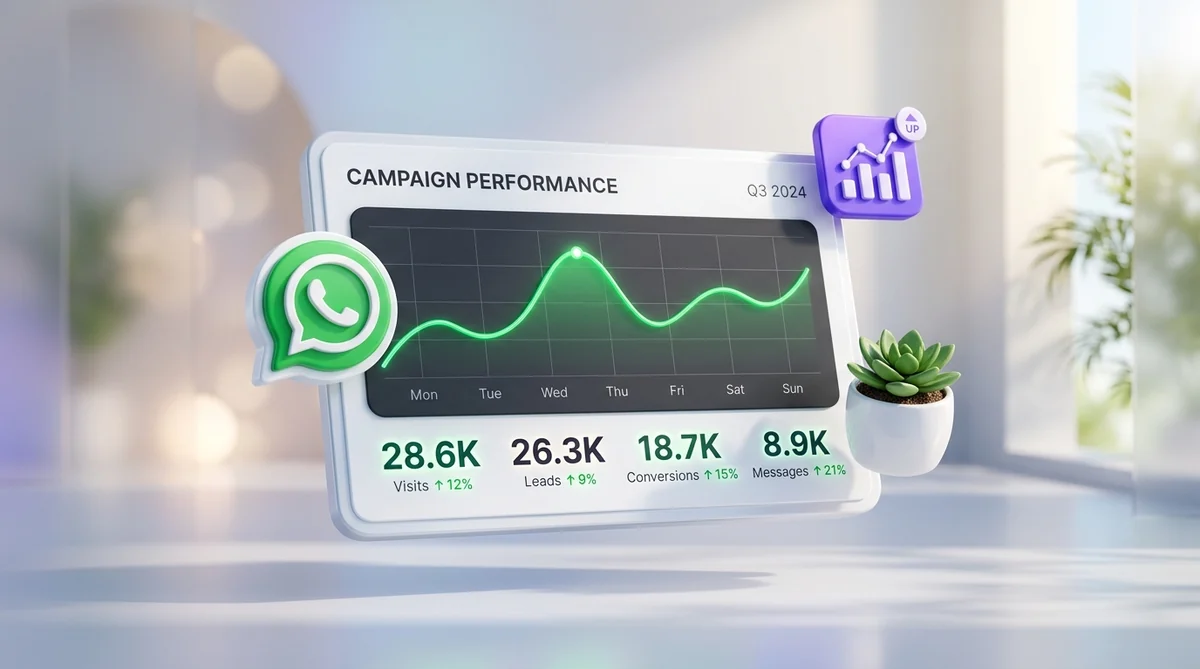
7. How Samyoj Protects Your Number Automatically
Samyoj provides enterprise-grade compliance infrastructure designed to prevent phone number bans before they occur. Key automated protections include:
- Automated Unsubscribe Suppression: Detects incoming quick-reply opt-outs and keywords like "STOP", immediately adding contacts to global suppression lists across all campaign workflows.
- Real-Time Quality Score Telemetry: Continuously monitors Meta API quality health metrics, alerting your team instantly if block ratios tick upwards.
- Smart Broadcast Pacing: Automatically distributes campaign workloads into throttled micro-batches, preventing network surge flags.
- Opt-In Audit Trail Storage: Logs timestamped opt-in evidence for every subscriber contact, ensuring seamless compliance verification during Meta policy audits.
8. Frequently Asked Questions (FAQ)
How long does it take for a Red Quality Rating to return to Green?
Meta calculates quality ratings using a rolling 7-day window. If you halt problematic broadcast campaigns and maintain clean, positive inbound interactions, a Red rating typically recovers to Yellow or Green within 3 to 7 days.
What happens if my phone number quality rating stays Red for 7 days?
If your number quality remains Red for 7 consecutive days, Meta automatically downgrades your daily messaging limit by one tier (e.g., from 100,000 recipients/day down to 10,000 recipients/day).
Can I appeal a permanent WhatsApp Business API ban?
Yes. You can file a formal appeal through Meta Business Support Home under the "Request Review" option. You will need to provide business verification details, opt-in acquisition logs, and proof of policy compliance. Most Meta policy reviews complete within 24 to 48 hours.
Does adding an "Unsubscribe" button lower campaign conversion rates?
No. Data shows that providing a clear one-tap opt-out button actually improves campaign ROI by filtering out unengaged contacts while protecting your phone number from spam reports.
How does broadcast batching protect my account?
Broadcast batching spreads outgoing campaigns across calculated time intervals (e.g., 500 messages every 5 minutes). This prevents rapid feedback accumulation and avoids triggering Meta's automated rate-limiting heuristics.
Scale Your WhatsApp Marketing with Samyoj
Samyoj is India's most reliable, transparent, and feature-rich WhatsApp Business API platform. Built specifically for growing brands, we help you automate customer support, run targeted broadcast campaigns, and recover lost revenue with zero per-message markup fees.