Click-to-WhatsApp Ads vs. Landing Pages: The 2026 ROI Benchmark & Strategy Guide
Discover why traditional mobile web landing pages suffer 60%+ drop-off rates, and how Meta's Click-to-WhatsApp (CTWA) ad architecture achieves 45%+ lead capture rates with instant AI conversation routing in 2026.
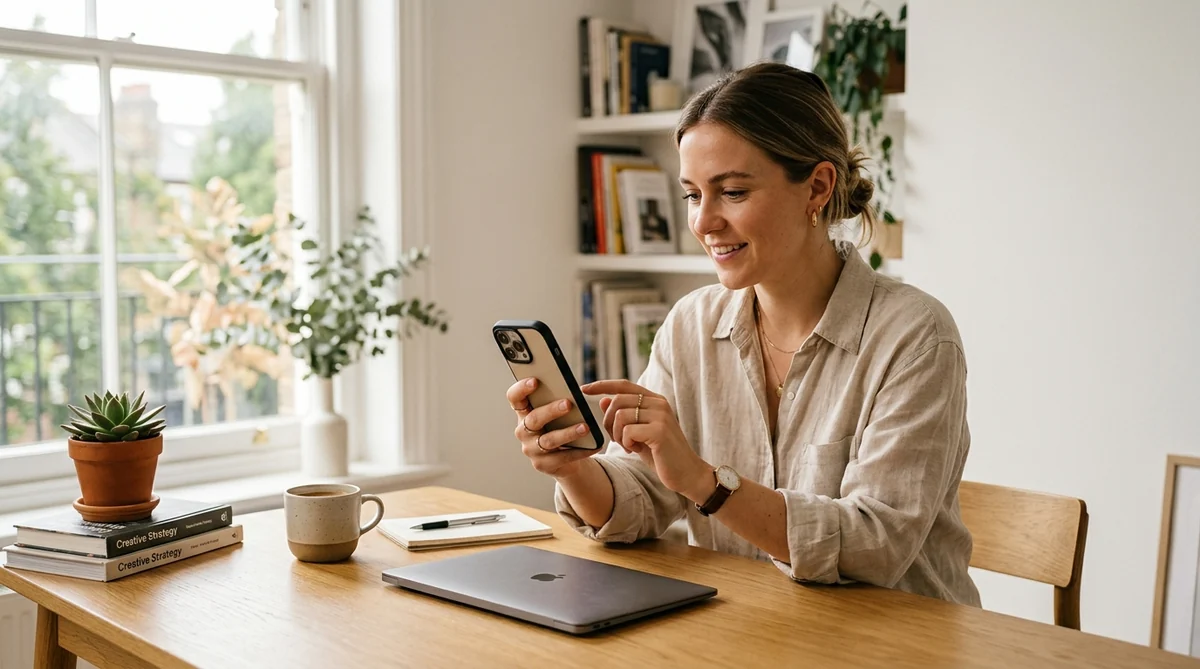
The Mobile Landing Page Crisis: Why Traditional Web Funnels Lose 60%+ of Paid Traffic
In 2026, digital advertising costs across Meta (Facebook & Instagram), Google, and TikTok are at all-time highs. Performance marketers, growth leads, and agency founders face a brutal economic reality: customer acquisition costs (CAC) continue to climb while user attention spans have plummeted to under three seconds.
For over fifteen years, the standard media buying playbook has remained unchanged: run a targeted social ad, direct user traffic to an external mobile web landing page, showcase value propositions, and request the user fill out a web form containing 4 to 6 input fields (Name, Email, Phone, Company, Product Interest).
However, analyzing over 12 million paid mobile clicks across B2B, D2C, real estate, and professional services reveals that this legacy funnel is experiencing systemic failure on mobile devices.
Users who abandon traditional web landing pages before the DOM loads completely.
Average submission rate of visitors who arrive on a mobile landing page.
Submissions containing junk phone numbers (e.g. 0000000000) or unreachable numbers.
Time taken by sales teams to attempt first contact following a web form submission.
1. Severe Browser Load & Network Latency
When an Instagram or Facebook user taps a link pointing to an external website, Meta opens the web page inside an In-App Browser (IAB). Mobile Safari and Chrome rendered inside Meta's WebView container suffer from script execution bottlenecks, third-party pixel latency, heavy font downloads, and unoptimized CSS assets.
Data shows that every single 100-millisecond delay in mobile landing page load time reduces conversion rates by 7%. On 4G and sub-optimal 5G connections, mobile landing pages that take longer than 2.8 seconds to render lose over 53% of paid visitors before they ever see an H1 headline.
2. Touch-Keyboard Form Fatigue
Mobile keyboards are fundamentally hostile to form completion. Asking a mobile user to tap open tiny input boxes, correct autocorrect errors in their email address, enter international country codes, and select dropdown options creates intense UX friction.
Users browsing social media are in a passive, high-dopamine scroll state. Switching them abruptly into an active data-entry mode triggers instant bounce behavior.
3. The Invalid Lead & Spam Contact Dilemma
When users are forced to submit contact forms to unlock gated pricing, whitepapers, or quotes, a large segment inputs fake data. Over 28% of all leads generated through traditional mobile web landing pages contain invalid phone numbers, temporary email domains, or typos.
This inflates marketing metrics with vanity numbers while forcing sales teams to waste dozens of hours dialing dead numbers and sending emails that bounce straight into spam traps.
4. Lead Decay: The 5-Minute Speed-to-Lead Boundary
Academic research published by Harvard Business Review and validated by 2026 enterprise sales data confirms that the probability of qualifying a lead drops by over 21x if the first contact attempt occurs after 5 minutes compared to under 60 seconds.
"If your sales team reaches out to a mobile web lead 2 hours after form submission, that user has already forgotten clicking your ad, closed their mobile browser, and moved on to a competitor. Speed-to-lead isn't just an operational preference—it dictates your entire unit economics."
5. Signal Loss from Privacy Changes
With Apple's ongoing iOS privacy frameworks, aggressive content blockers, and the sunset of third-party cookies, tracking mobile web conversions via client-side pixels has become increasingly unreliable. Meta's ad algorithm loses up to 40% of conversion feedback signals when users bounce off web landing pages, hindering machine learning optimization for high-intent audiences.
Click-to-WhatsApp (CTWA) Ads Architecture: The Zero-Friction Conversational Blueprint
Click-to-WhatsApp (CTWA) Ads completely eliminate external web landing pages from your paid media acquisition flow. Instead of redirecting visitors to a web browser, tapping a CTWA ad instantly launches a native WhatsApp conversation between the user and your official WhatsApp Business API account.
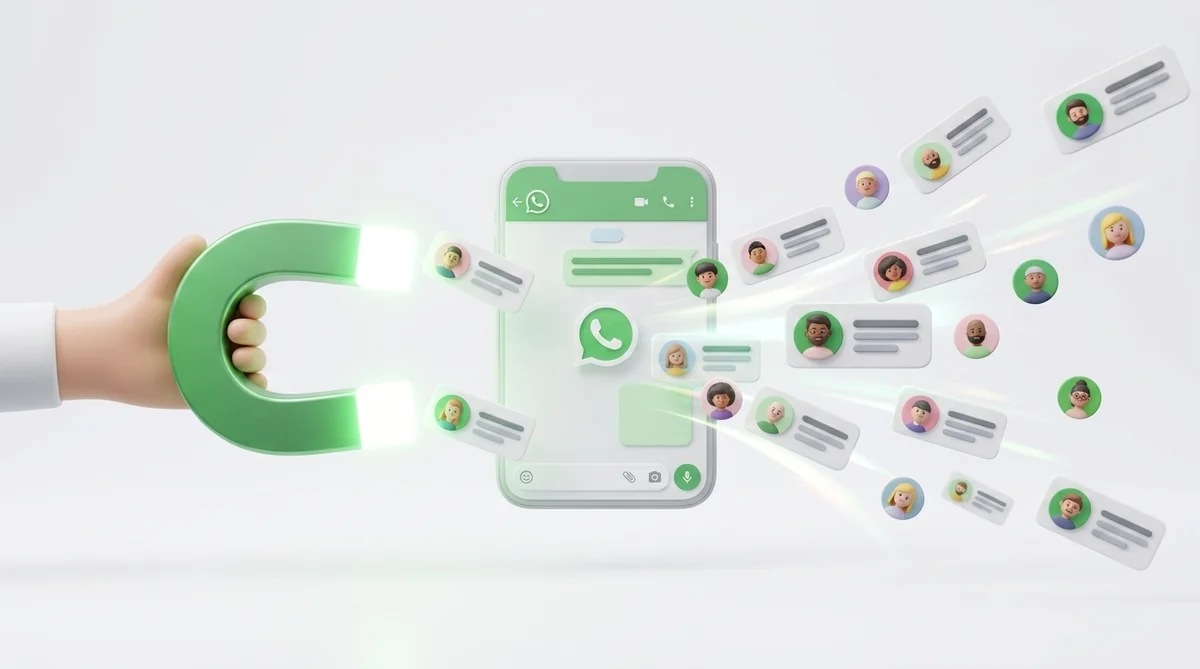
Here is how the native technical architecture functions step-by-step:
Native Ad Impression & Intent Trigger
The ad unit appears on Instagram Feed/Stories/Reels or Facebook Feed with a clear call-to-action button: "Send Message" or "Chat on WhatsApp". The headline explicitly sets expectations (e.g., "Tap to chat with our product specialist on WhatsApp & get instant pricing").
Instant Deep-Link Launch (< 0.4 Seconds)
When the user clicks the CTA button, Meta executes a native OS deep-link using the wa.me protocol. The user's device immediately switches to the WhatsApp application in less than 400 milliseconds—completely bypassing mobile web loading, DNS lookups, and browser rendering.
Pre-Filled Conversational Prompt
The user's WhatsApp chat window opens with a pre-configured, context-aware message ready in their text input box (e.g., "Hi Samyoj team, I'd like to check pricing and features for my business."). The user simply taps the green Send button.
Zero-Form Instant Lead Capture & Phone Verification
The moment the user hits Send, Meta passes their verified active WhatsApp phone number along with their official WhatsApp profile name directly to your Business Account via Webhook. You capture 100% verified lead data with zero manual typing required from the user.
Immediate Samyoj AI Agent Auto-Response
Within 1.5 seconds of receiving the incoming message, Samyoj's AI Engine processes the campaign metadata (attributing the exact Meta ad_id and campaign_id), logs the lead in Samyoj CRM, and triggers a personalized, multi-turn AI qualification dialog.
Want 50% Lower Cost Per Lead on Meta Ads?
Connect your Meta Ads Manager to Samyoj in under 5 minutes and convert ad clicks into instant, AI-qualified WhatsApp leads.
Start Free Trial →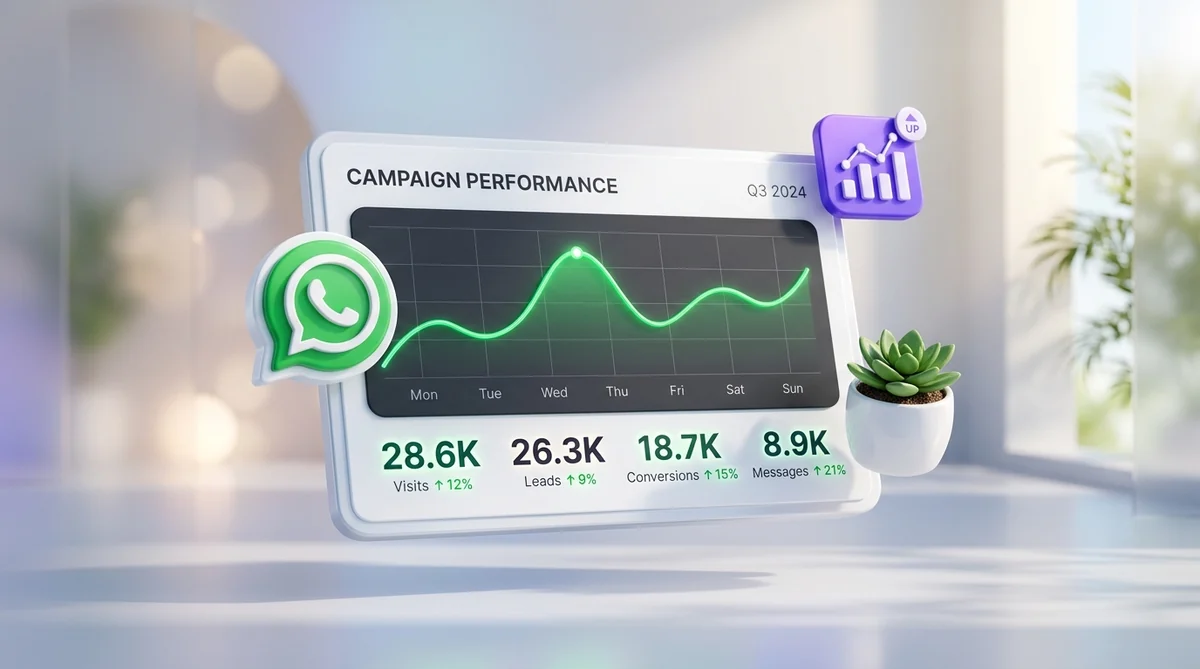
2026 ROI Benchmark Report: CTWA Ads vs. Mobile Web Landing Pages
To evaluate the real-world performance differences between Click-to-WhatsApp campaigns and traditional web landing pages, the Samyoj Growth Analytics team audited anonymized campaign data across 520 active advertisers operating in Q1 and Q2 of 2026.
The dataset includes over 18 million ad impressions and $4.5M in paid ad spend across five major sectors: E-commerce/D2C, Real Estate & Construction, EdTech & Online Education, Financial Services, and B2B SaaS.
Average CTWA chat initiation rate (48.2%) vs web form submission rate (4.2%).
Significant drop in CPL because zero ad spend is wasted on fake numbers.
WhatsApp messages read by leads within 15 minutes of campaign broadcast.
Overall Return on Ad Spend for brands utilizing automated AI WhatsApp flows.
Key Performance Metric Breakdown
Comparing traditional funnels to WhatsApp funnels highlights stark contrasts across every phase of the customer acquisition journey:
- Click-to-Lead Initiation (Conversion Rate): Web landing pages average between 3.2% and 5.1% form completion. Click-to-WhatsApp campaigns achieve 42% to 61% chat initiation rates from ad clicks. When users arrive inside WhatsApp with a pre-filled prompt, over 4 out of 5 complete the send action.
- Cost Per Verified Lead (CPL): Because lead initiation is 10x higher and 100% of captured phone numbers belong to active WhatsApp accounts, Cost Per Verified Lead drops by an average of 52% to 68% across all industries.
- Speed-to-Lead & Response Times: Web forms rely on email autoresponders or delayed SDR phone calls (averaging 4.2 hours). Samyoj WhatsApp workflows respond in under 2 seconds 24/7/365, capturing user intent while interest is at its absolute peak.
- Down-Funnel Lead Qualification: Traditional forms attempt to qualify leads by adding 5+ required fields, which severely destroys top-of-funnel conversion. WhatsApp solves this by collecting basic contact details frictionlessly upfront, then using conversational AI prompts to gather qualification details asynchronously in a natural, messaging-style interaction.
Side-by-Side Comparison Matrix: CTWA Ads vs. Google Search Ads vs. Meta Web Forms
The table below presents a side-by-side technical and financial breakdown of the three primary digital acquisition channels utilized by performance marketers in 2026:
| Evaluation Metric | Click-to-WhatsApp (CTWA) Ads | Google Search Ads (Web LP) | Meta Native Instant Lead Forms |
|---|---|---|---|
| User Experience Friction |
Zero Form Friction. Native WhatsApp app opens in <0.4s. Lowest Friction |
High Friction. Browser loading + 4-6 manual form fields. High Friction |
Medium-Low Friction. In-app pop-up form pre-filled by Meta. Moderate Friction |
| Phone Number Verification |
100% Verified Active Number. Passed natively via WhatsApp system. 100% Verified |
Unverified Data. 25-35% fake/junk phone numbers typed. High Junk Rate |
Partially Outdated Data. Pre-fills old numbers associated with FB account. 30% Outdated |
| Average Lead Capture Rate |
42.0% – 61.5% (Ad Click to Chat Sent) Industry Leading |
3.0% – 5.5% (Ad Click to Form Submission) Lowest Yield |
12.0% – 18.5% (Ad Click to Form Submission) Moderate Yield |
| Speed to First Interaction |
< 2 Seconds Instant AI Chatbot response inside WhatsApp. Instant (< 2s) |
15 Min – 4.5 Hours Delayed email autoresponder or manual SDR call. Delayed |
30 Min – 6 Hours Requires Webhook to CRM then manual call/email. Delayed |
| First-Touch Open Rates |
98.0% Open Rate WhatsApp push notification read rate. 98% Open Rate |
18.0% – 22.0% Email open rates for follow-up autoresponders. Low Engagement |
18.0% – 25.0% Email or SMS follow-up open rates. Low Engagement |
| Ad Algorithm Data Feedback |
Real-time Offline Conversions API feedback via Meta Graph API.
Strong Signal |
Client-side Google Ads Tag & GTM (Subject to cookie blocking).
Partial Signal |
Direct Meta In-App Attribution (Native system signal).
Strong Signal |
| Ongoing Retargeting Cost |
Near-Zero Cost. WhatsApp API Broadcasts to opted-in base. High Margin |
High Cost. Paid Display/Search Remarketing per click. Expensive |
High Cost. Paid Custom Audience Retargeting Ads. Expensive |
Step-by-Step Meta Ads Manager & Samyoj Integration Blueprint
Setting up high-converting Click-to-WhatsApp campaigns requires proper configuration across Meta Ads Manager, Meta Business Suite, and Samyoj CRM. Follow this six-step implementation guide:
Connect Official WhatsApp Business API Number
Navigate to your Meta Business Manager Settings > WhatsApp Accounts. Add your dedicated business phone number and verify via OTP. Ensure your number is approved and linked to your Meta Business Manager entity.
Configure Campaign Objective in Ads Manager
Create a new campaign in Meta Ads Manager. Select either the Engagement or Leads objective. Under Conversion Location, choose "Messaging Apps" and select WhatsApp as your primary destination.
Draft Conversational Ad Creative & Copy
Design visual assets (image or short video reels) that clearly inform the user they will chat on WhatsApp. Use explicit headlines like: "Get an Instant Quote on WhatsApp" or "Chat with an Advisor Now" to ensure incoming traffic carries high conversion intent.
Define Message Template & Pre-filled Prompt
In the Message Template section of ad setup, select "Create New". Input a clear welcome greeting and set the default pre-filled customer message (e.g., "Hi Samyoj, I saw your ad for AI WhatsApp Automation and want more details.").
Sync Meta Webhooks with Samyoj CRM
Inside the Samyoj Admin Dashboard, go to Integrations > Meta Ads Manager. Click "Connect Account" to authorize real-time webhook routing. Samyoj will automatically capture incoming Meta campaign metadata including ad_id, adset_id, and campaign_name.
Activate Samyoj AI Qualification Bot
Build your automated multi-choice qualification flow in Samyoj's Visual Workflow Builder. Set up rules to automatically tag incoming leads, assign conversations to available sales agents, and send instant interactive catalog buttons.
Automating Instant Lead Qualification with Samyoj AI Agents
Generating high volumes of WhatsApp ad messages is only effective if your sales infrastructure can process them immediately. Relying on manual human agents to answer repetitive initial inquiries creates operational bottlenecks and response delays.

Samyoj AI Agents solve this challenge by acting as an automated 24/7 front-line sales team:
Instant Natural Language Intent Recognition
Samyoj AI analyzes incoming message text, extracts key intent markers, and matches the lead to the exact campaign offer they responded to—whether it's a discount code request, product demo, or pricing inquiry.
Interactive Multi-Choice Qualification Buttons
Instead of forcing users to type long answers, Samyoj displays interactive quick-reply buttons (e.g. "Select Budget Range" or "Choose Product Category"). Users complete qualification in 2 quick taps.
Automated CRM Sync & Lead Scoring
As the AI Agent collects lead responses, Samyoj instantly updates contact profiles, applies custom labels (e.g. High-Intent, Enterprise), and pushes lead data into Salesforce, HubSpot, or Zoho.
Seamless Human Agent Escalation
When a lead meets high-qualification criteria (e.g., budget > $5,000 or urgent demo request), Samyoj automatically alerts active sales reps in the Shared Team Inbox with push notifications and live chat handover.
2026 Real-World Industry Playbooks & Campaign Teardowns
Case Study 1: UrbanAttire Cuts Cost Per Acquisition by 58%
The Challenge: UrbanAttire ran Instagram Story ads pointing to a Shopify mobile landing page. Their mobile bounce rate stood at 67%, and Cost Per Acquisition (CPA) reached $34.20 per sale.
The CTWA Strategy: They switched to Click-to-WhatsApp ads offering an exclusive 15% discount code delivered instantly via WhatsApp. Upon tapping send, Samyoj AI delivered the coupon code, displayed an interactive product carousel, and offered 1-click checkout options.
Case Study 2: Apex Luxury Properties Generates $12M in Pipeline
The Challenge: Generating qualified villa buyer inquiries via web forms resulted in 40% fake phone numbers and slow SDR follow-up times.
The CTWA Strategy: Apex launched Facebook Feed CTWA ads inviting buyers to download digital brochures via WhatsApp. Samyoj AI qualified buyers by asking budget range and location preference within 3 automated chat prompts before scheduling site visits directly with senior real estate agents.
Case Study 3: Global Tech Institute Achieves 4.2x Higher Enrolment
The Challenge: Web lead forms for their Data Science Masterclass yielded high cost-per-registration and less than 12% attendance rate due to unread email reminders.
The CTWA Strategy: Students clicked WhatsApp ads to claim instant syllabus PDFs. Samyoj sent automatic WhatsApp event reminders 24 hours and 15 minutes before live webinars, boosting attendance and student course enrollments.
Ready to Launch Click-to-WhatsApp Ads with Samyoj?
Automate lead capture, AI qualification, and team inbox routing in one unified platform.
Start Free Trial →
5 Costly Mistakes Brands Make with WhatsApp Ads (And How to Fix Them)
While Click-to-WhatsApp ads offer game-changing ROI improvements, misconfiguring your strategy can lead to wasted ad spend. Here are five common pitfalls and how to avoid them:
- Relying Exclusively on Manual Human Replies: If a user clicks your WhatsApp ad at 9:00 PM and receives no response until 9:00 AM the next day, the conversational advantage is destroyed. Always deploy Samyoj AI Agents to ensure immediate sub-2-second responses 24/7.
- Failing to Set Clear Ad Expectations: Ensure your ad creatives and headlines explicitly state that the button will open WhatsApp. Avoid ambiguous CTAs like "Learn More"; use action-oriented phrases like "Chat on WhatsApp for Instant Quote".
- Over-Automating Without a Human Handoff Option: Chatbots should simplify qualification, not trap users in rigid loops. Always include an easily accessible "Talk to Human Agent" option in your conversational flows.
-
Ignoring Campaign Attribution Parameters: Never run CTWA ads without mapping UTM source parameters and Meta
ad_idtags. Use Samyoj's native Meta Ads integration to track exact ad revenue and ROAS down to individual creative assets. - Neglecting Post-Ad Re-engagement & Broadcasts: Capturing a WhatsApp contact gives you an opted-in subscriber for life. Schedule automated broadcast campaigns for seasonal offers, product updates, and personalized re-engagement to maximize Customer Lifetime Value (LTV).
Frequently Asked Questions (FAQ)
What are Click-to-WhatsApp (CTWA) ads?
Click-to-WhatsApp (CTWA) ads are Meta ad units placed across Instagram Feed, Instagram Stories, Facebook Reels, and Facebook News Feed featuring a "Send Message" button. When clicked, the ad directly opens a WhatsApp conversation with your business, automatically passing the user's active phone number and profile name upon their first message.
Why do mobile web landing pages have lower conversion rates than WhatsApp ads?
Mobile web landing pages force users through high-friction steps: slow page load times inside Meta's in-app browser, tedious mobile form typing, spam filters, and delayed follow-ups. CTWA ads eliminate forms entirely, opening a pre-filled chat natively inside WhatsApp in under 0.4 seconds.
How does Samyoj track Meta ad attribution for Click-to-WhatsApp campaigns?
Samyoj connects directly with the Meta Graph API and Meta Conversions API. When a user clicks your CTWA ad, Meta passes referral parameters (such as ad_id and campaign_id) to Samyoj. Samyoj logs these parameters against the lead contact profile and pushes offline conversion events back to Meta for algorithm optimization.
What is the average Cost Per Lead (CPL) reduction with Click-to-WhatsApp ads?
Based on 2026 benchmark data across 500+ campaigns, brands switching from mobile web landing pages to CTWA ads see an average CPL reduction of 42% to 65%, driven by 12x higher lead initiation rates and zero fake phone numbers.
Do I need a Meta Verified Business Account to run CTWA ads with Samyoj?
Yes, running official CTWA ads with automated AI routing requires an official WhatsApp Business API phone number connected to a Meta Business Manager account. Samyoj provides step-by-step onboarding to complete verification in under 24 hours.
How do AI agents handle high ad volume on WhatsApp without human delay?
Samyoj AI Agents initiate conversations within 2 seconds of the user sending their first message. The AI qualifies leads through interactive multi-choice prompts, answers FAQs, collects requirements, and seamlessly routes hot, qualified leads to human sales reps in the Samyoj Shared Team Inbox.
Scale Your WhatsApp Marketing with Samyoj
Samyoj is India's most reliable, transparent, and feature-rich WhatsApp Business API platform. Built specifically for growing brands, we help you automate customer support, run targeted broadcast campaigns, and recover lost revenue with zero per-message markup fees.